

MyTranscript
Completion requirements
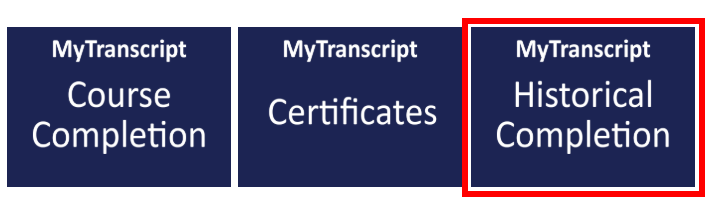
Run your MyTranscript Report by clicking the options below
The MyTranscript report replaces individual certificates that satisfy the requirements of Chapter § 6100.141 (training records for both orientation and annual trainings), and acts as verification of training required during licensing, Intellectual Disability/Autism (ID/A) Quality Assessment & Improvement (QA&I), and Adult Autism Waiver (AAW) Provider Qualification processes. For further information regarding this change, please see ODPANN 25-100.
It is the MyODP user’s responsibility to generate the MyTranscript report for an employer to track and verify completed trainings. Agencies should NOT access their employee’s training record through MyODP directly.
 |
 |
 |
|---|---|---|
|
Run this report if: You completed courses after December 1, 2025 |
You completed any of the following courses:
and/or you are a Support Coordinator who completed |
Run this report if: You completed courses before December 1, 2025 |
Please Note: Before retaking a course that has already been completed, you must click the "reset activity completion" link at the top of the course page and confirm resetting your course progress. This will reset all current progress in the course. After re-completing the course, the new completion will display on your MyTranscript report. Your previous completion records will also display.
How to Download Your MyTranscript
1. Choose one of the reports above. If you completed trainings within a specific timeframe, you may not need to run all three reports.
2. Please allow up to 30 seconds to 1 minute for the filter to load. If a filter pop-sup, Click 'Okay' for the report to populate.
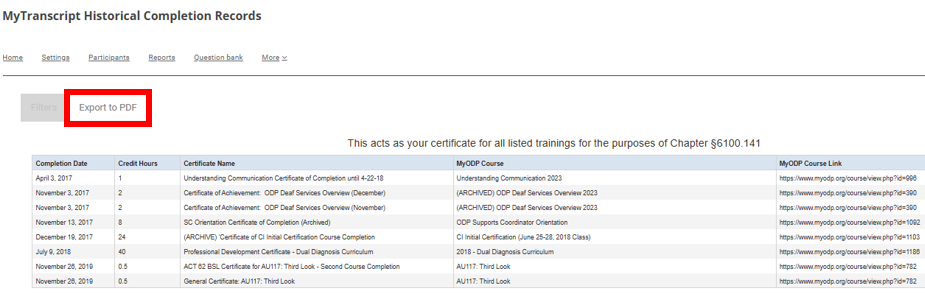
3. Click on Export as PDF.